Save a recipe
How to save Instagram and TikTok recipes you can actually cook
Turn a saved post into a usable recipe. A practical Zuppi guide to links, captions, screenshots and checking an import before cooking.
6 min read
Keep the good ones
Bring recipes from links, text and readable screenshots into Zuppi. Review the ingredients and method, keep the source, and give your next dinner a place in your cookbook.
See testing availability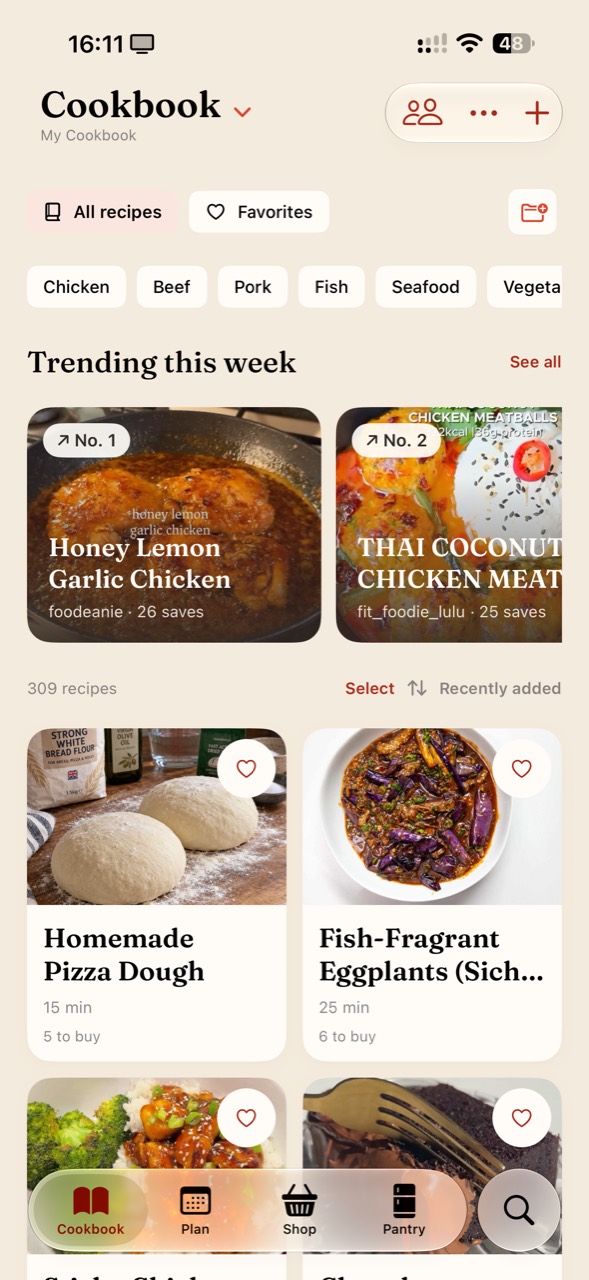
A link to a recipe website. A caption you have copied. A screenshot of a recipe card. Zuppi gives you different ways to bring those details into a recipe you can review and save.
Check ingredient amounts, serving counts and instructions against the source before you save. You can correct missing details instead of relying on a recipe that only looks complete.
Keep the original link so you can revisit the creator’s explanation or check an unfamiliar technique.
Some websites and social posts restrict access. Others show a finished dish without providing quantities or a complete method. Zuppi cannot guarantee that every post will import.
Use the written recipe, a clear screenshot or manual entry when the link does not contain enough accessible information. Import capabilities vary by platform and testing build.
Zuppi supports importing accessible recipe links from Instagram and TikTok. Success depends on access to the post and the recipe information it contains. Review the result and use text or screenshots when needed.
No. Missing ingredients or quantities should not be guessed. In particular, do not assume the Android alpha transcribes video audio; use an available written recipe or add the details yourself.
Zuppi is in testing, with Android alpha access open. Use the availability information on the homepage for the current public testing status. Import options and limits may change.