Get ready to cook
How to turn saved recipes into a shopping list
Build a grocery list from your saved recipes in Zuppi, check servings and quantities, and avoid buying ingredients you already have.
5 min read
A little more organised
Choose what you want to cook, then bring the ingredients into one shopping list. Zuppi helps you keep recipes, groceries and pantry details together.
See testing availability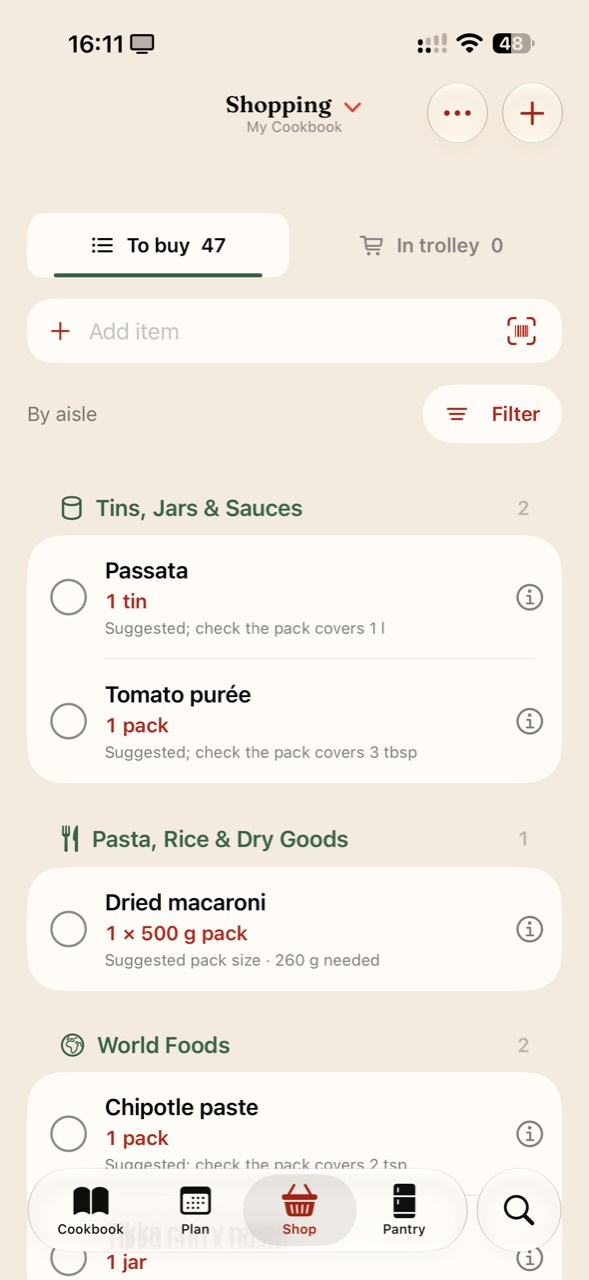
Open a saved recipe, check its ingredients and use Add to shopping list. Add ingredients from the other meals you have chosen, then review the list before shopping.
Check servings first. In the current Android alpha, ingredients added from the recipe view use your selected serving count. Review quantities whenever you scale a recipe.
Add groceries that do not come from a recipe, such as breakfast staples. Check overlapping ingredients and remove or adjust anything you already have.
Missing quantities and “to taste” ingredients still need your judgement. Pack-size suggestions, where available, should be checked against the recipe and the product you are buying.
Record pantry items and keep them up to date as you cook and shop. Check the actual cupboard or fridge when you are unsure how much remains.
On Android, Finish shopping can move checked items into Pantry. You can also clear checked shopping items without changing the pantry. Choose the workflow that suits you.
No. The pantry depends on information you record and maintain. Check what you actually have and review the shopping list before buying ingredients.
Yes. Add other groceries directly to your shopping list, alongside ingredients from your saved recipes.
No. Check ingredient amounts and servings in the saved recipe first. A missing amount in the source can lead to a missing amount on the list.