Your cookbook
How to organise recipe screenshots into a usable cookbook
Find the recipe behind your screenshots. Learn what to capture, how to scan it in Zuppi and what to check before saving.
5 min read
Your everyday recipe home
Zuppi is a recipe organiser for the meals you want to make again. Bring your saved recipes into one cookbook, find your favourites and keep useful details close to the method.
See testing availability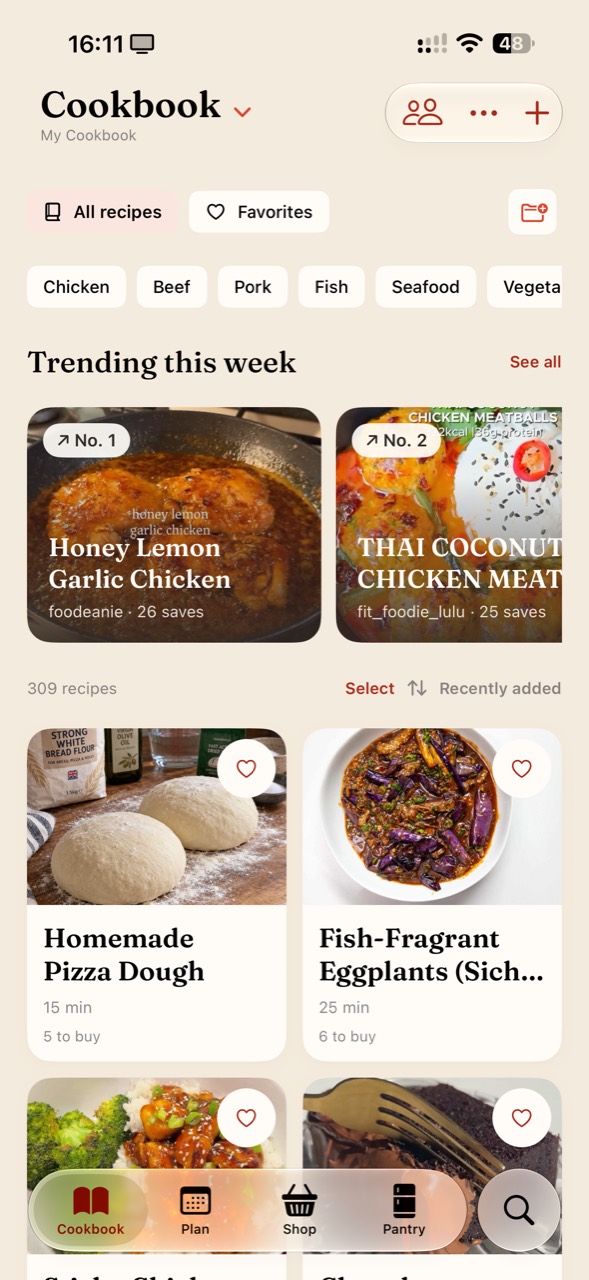
Saved posts, bookmarked webpages and recipe screenshots are easy to collect and hard to use together. Bring their recipe details into Zuppi, or write your own recipe from scratch.
Use clear titles and search your cookbook when you know what you want to make. Keep favourites handy without having to remember which app held the original post.
An ingredient list is only part of a useful recipe. Keep the method, source and your own notes together so you can understand it when you come back later.
Review imported recipes against the original. Save your changes as personal notes when you want to distinguish them from the creator’s method.
Choose a recipe, check the serving count and add its ingredients to your shopping list. Follow its instructions in Cook Mode, with timers to help you keep track.
Zuppi also includes a pantry for recording what you have. Keep it up to date and check your kitchen before buying more ingredients.
Yes. Zuppi includes manual recipe entry as well as link, text and photo-based import options. Check the saved ingredients and method before cooking.
A recipe website publishes recipes to discover. A recipe organiser helps you collect and use recipes you have chosen, including your own. Keep the original source with imported recipes.
Yes. Use a readable screenshot that includes recipe text, review the recognised details and save the recipe under a descriptive title. A photo of a finished dish alone is not a complete recipe.